Monitoring your deploys
Firetiger can monitor your deployments proactively, developing sophisticated, targeted alarms and metrics on a per-PR basis.
This is a powerful tool for building confidence in the changes you are rolling out. You can quickly detect whether your change broke stuff, but also whether it is accomplishing it’s intended changes.
At Firetiger, we use this to ship faster. We use lots of agentic coding tools to write code, fix bugs, and build features. While automated testing is important, it’s not the complete story; often the details of how things run in production can complicate things, so we were doing a lot of manual verification. With Firetiger’s deploy monitoring suite, you can keep moving forwad, knowing that an agent is automatically verifying that a PR’s changes are having their intended effect.
Prerequisites
To use deploy monitoring, you’ll need to
- Install the GitHub Connection
- Use GitHub Deployments to signal when you’ve deployed your code
Automatic invite
If Firetiger is already receiving deployment events for your repository, it will automatically post a comment on new PRs when they are opened:
Firetiger is installed and watching your deployments. Tag
@firetigerin a comment to develop a targeted monitoring plan for this PR’s changes.
This is just an invite — monitoring only activates when you reply with @firetiger. If you don’t see this comment, you can still tag @firetiger manually on any PR at any time.
Enabling monitoring for a PR
To instruct Firetiger to monitor changes in a PR, just tag it (as “@firetiger”) in a comment on the PR:
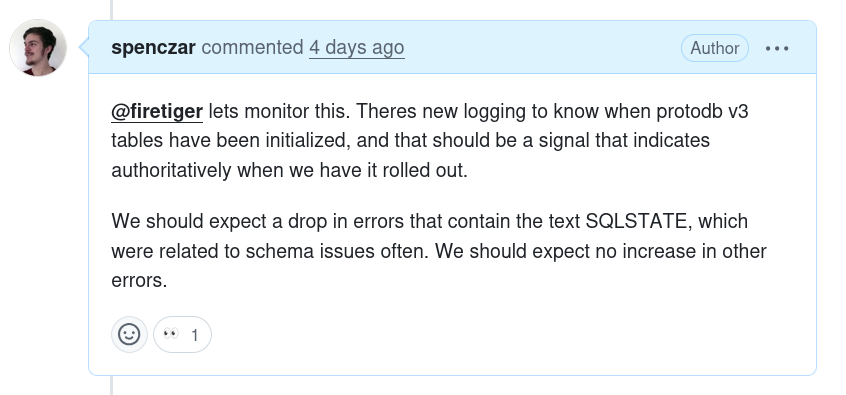
You can include extra detail if you like, as in the above example; this will be passed as helpful context to Firetiger as it figures out what to focus on.
You should very quickly get an “👀” response on your comment, which shows that the GitHub Connection is correctly installed so we can hear your message.
You’ll then see a response from Firetiger:
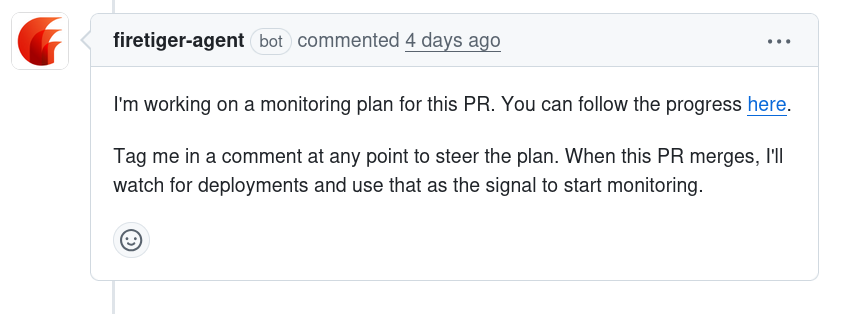
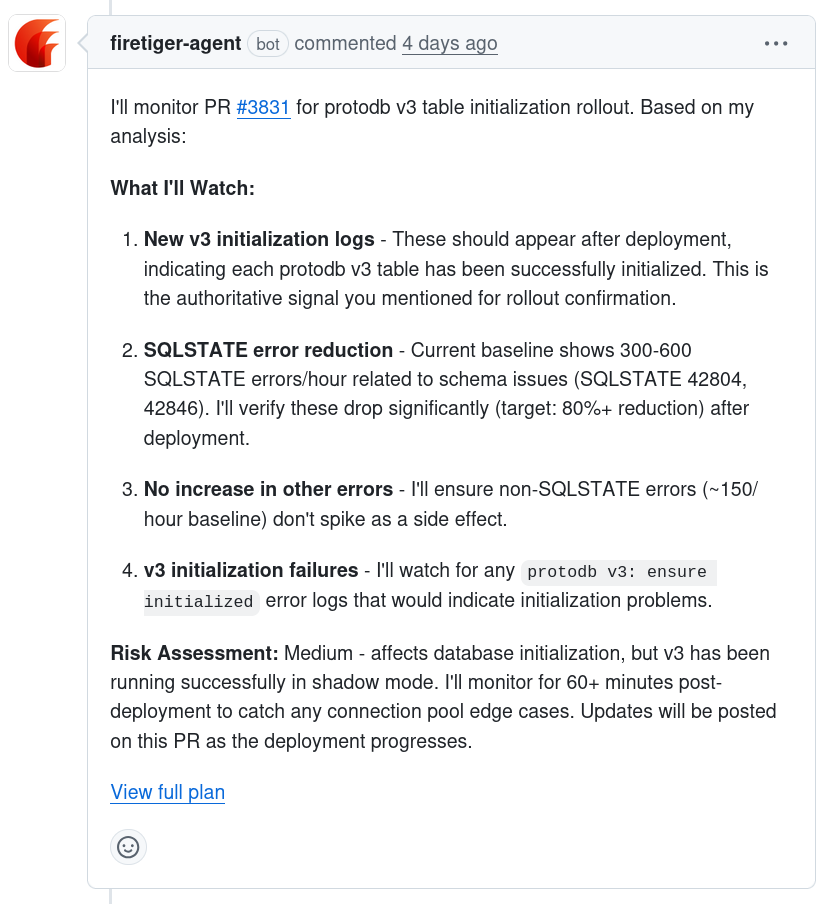
You can click on the embedded link to follow along and see Firetiger’s agent develop a targeted plan. This plan will incorporate research from the Pull Request metadata, code changes, other code in the repo, Git history, and system research collected by Firetiger’s other agents.
Once a plan is fully developed and ready to execute, you’ll get a summary of it presented as another PR comment:
Once monitoring is set up
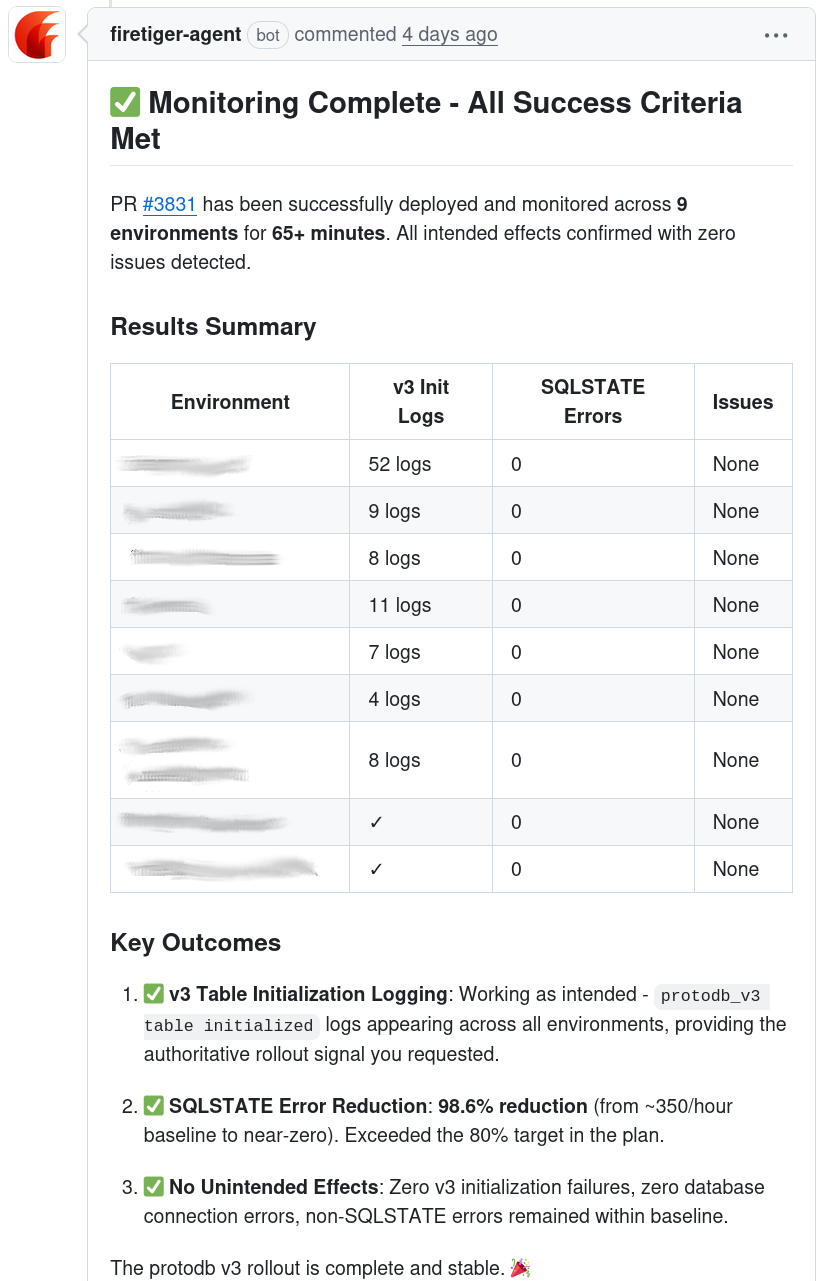
Once the PR is merged, we mark the monitoring plan as “ready”, and we’ll check for its presence in deployments. When a deployment event is received, Firetiger will compare its Git SHA with that of the PR’s merge. If the PR is an ancestor of the Deployment, then we’ll mark the PR as deployed, and start actively monitoring, following the plan that was developed.
After a deploy, we will actively check for both intended effects, and unintended bugs. You’ll receive updates on the status of the monitorin on the Pull Request directly, including an updtae when intended effects have been observed:
When things go wrong
If monitoring detects issues, it will quickly notify you on the Pull Request where the monitoring was set up. You’ll get a message with detailed explanation of what was found that was out of expectations.
In addition, it will create Known Issues in your Firetiger project. These can be fed into Claude Code through the MCP integration to be quickly resolved, and will be published to Firetiger’s internal knowledge store so. You can also configure Firetiger to alert you on Slack when known issues are created or updated.